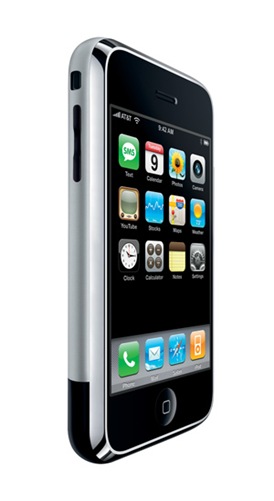
 | Assumptions Please take note of the following assumptions: - Your Apple iPhone is new (still in its original packaging), running firmware v1.1.1 and has not been tampered with. You have yet to attempt to run jailbreakme and/or iBrickr. If you have, drop-me a note and I'll try to assist you as best as possible to try to re-store your iPhone to its original state;
- You have access to a Personal Computer running either Microsoft Windows XP or Microsoft Windows Vista connected to the Internet;
- You have installed the latest version of Apple iTunes;
- You have access to a secure Wi-Fi network connected to the Internet;
- You have sufficient knowledge of TCP/IP to perform simple operations such as Telnet and FTP.
Steps - Lets make sure you have firmware v1.1.1. Slide to make an emergency call. Press "*3001#12345#*" and hit the "Call" button. A new window will pop-up called "Field Test". Select "Versions" and confirm you have firmware version "04.01.13_G". If your firmware version indicates an older version such as "03.14.08_G", I recommend that you upgrade your iPhone's firmware through iTunes to v1.1.1. (search Google for assistance). Note, do not upgrade to firmware v1.1.2 as you will not be able to unlock your iPhone;
- Once you've confirmed you're running firmware v1.1.1. click-once on the "Home" button. Slide to make an emergency call. Now enter "*#307#", and press "Call". The phone will start ringing;
- Clear all the numbers by pressing on the "Back" button. It's the one that has an "X" through it. Now enter "0", press "Call", than press "Answer";
- Now, press the "Hold" button, the phone will ring again. Press "Decline". You should now see the contact list;
- Add a new contact. Choose “add new URL”. Enter “prefs:”. Add one more home url, this time enter “jailbreakme.com”. Save all the informations;
- Click the “home page”, it will pop-up the settings now. Connect to your Wi-Fi network. Also, make sure it will not go to sleep mode by going into General -> Auto Lock -> Never;
- Press "Home" to go back to the “activate iPhone” screen. Slide for emergency call, and press “0″ to call. Answer the call than hold the call. It will ring again. Press decline and you will go back to the contact list;
- Select the contact we created in Step 5. This time, press the home that is “http://jailbreakme.com” to let the Safari open it. Scroll down and choose to install the AppSnapp;
- Your Safari will crash and go back to the “Activate iPhone” screen. Do not touch the iPhone or any other buttons now;
- It will restart itself. If it is not for more than 10 minutes, repeat the steps from Step 7 - 9. If you see a blue dot, restore your iPhone completely with firmware v1.1.1.;
- You should now get into the main home screen with Installer on the springboard. Click-once and choose “All packages”, install the “BSD Subsystem”;
- Now, install “OpenSSH” through the Installer.app;
- Go to your Personal Computer running Microsoft Windows. Use WinSCP, connect to the iPhone SSH system by typing the correct iPhone’s IP. You need to type “root” as username, “alpine” as password. Note, you can verify your iPhone’s IP by clicking once on Settings -> Wi-Fi, and click-once on the blue arrow that you connected to;
- Download the anySIM 1.1.1 application and extract the content of the ZIP file to your desktop.
- Upload the AnySIM.app folder to the “Applications” folder on your iPhone;
- Through WinSCP, right-click “anySIM.app” and choose “properties”. Make sure that the folder “anySIM.app” is set as 755, and make sure “Set group, owner and permissions recursively” is checked;
- Restart the iPhone. Now, run the anySIM program and get ready to free your iPhone;
- Download the 3 files here and extract to your desktop;
- WinSCP to your iPhone again. Go to “/var/root/Library/Lockdown/”. Replace the existing files. Restart the iPhone again. You can now run YouTube;
- Now, fix your "EDGE" settings. Click-once on "Installer" and select "Sources";
- Add a new source "http://i.unlock.no";
- Once the new source is added, in the "Installed" go to "Install" and select the "Unlocking Tools" category and install "EDGE Setting Fix";
- Restart the iPhone;
- Setup your "EDGE" settings. Go to Settings -> General -> Network and configure "APN", "Username", and "Password" based on your network;
- Don't forget to reset the sleep mode by going into General -> Auto Lock -> 1 minute;
- Restart the iPhone.
That's It! |

1 comment:
Good words.
Post a Comment